Ask ten different cord-cutters whether you need a Virtual Private Network (VPN) for IPTV streaming, and you will get ten contradictory answers. Some tech enthusiasts insist that streaming without a VPN is reckless, while others claim that turning on a VPN cuts your internet speed in half and causes more buffering than it solves.
The reality in 2026 is far more nuanced. You do not always need a VPN to enjoy flawless 4K live streaming—in fact, on a properly configured, premium private IPTV network, millions of viewers stream daily without one. However, depending on who your internet service provider (ISP) is, what country you live in, and what live sports you watch, a VPN can be the single difference between a frozen spinning wheel and a pristine 60fps broadcast.
In this definitive guide, the StreamVexa network team breaks down the technical truth about ISP packet throttling, privacy, speed degradation, and how to determine whether your setup requires a VPN.
What Actually Happens When You Stream IPTV Without a VPN?
When you stream live television or on-demand movies over IPTV, data travels from your IPTV provider's content delivery network (CDN) directly to your home router and streaming device.
Without a VPN, your connection is direct:
- Your ISP Sees the Connection: While modern IPTV streams use encrypted HTTPS/TLS protocols (meaning your ISP cannot read the exact video frames you are watching), your ISP can see the IP address and domain name of the streaming server you are communicating with.
- Bandwidth Footprint is Visible: High-bitrate 4K streams maintain a continuous, steady data transfer rate of 25 Mbps to 50 Mbps. To network monitoring algorithms at major telecom companies, this continuous data signature is instantly recognizable as high-bandwidth video traffic.
- Lowest Possible Latency: Because your data travels directly from server to device without routing through an intermediate VPN server, you experience minimal ping delay—which is critical for live sports betting and instant channel zapping.
How Internet Service Providers (ISPs) Throttle Your Connection
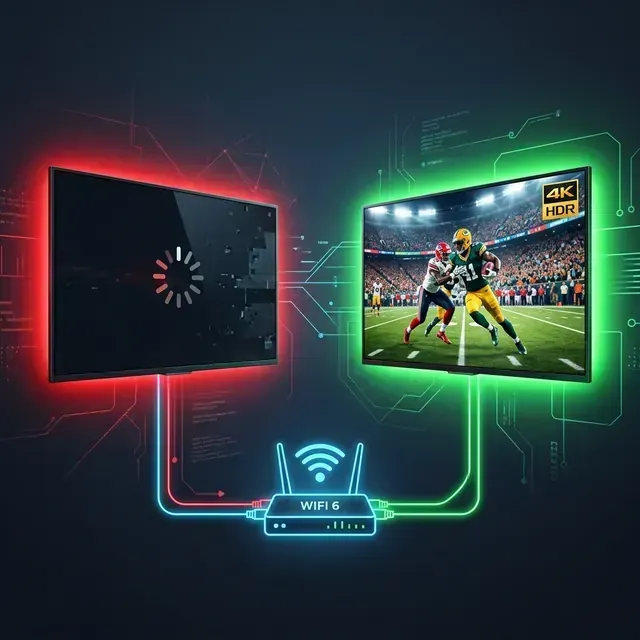
Have you ever noticed that your home internet speed tests at 300 Mbps on Google, Netflix plays in 4K without a hitch, but the moment a high-profile Premier League match, Champions League final, or NFL playoff game kicks off on Sunday, your IPTV stream begins to freeze every thirty seconds?
This is not a coincidence. It is ISP Deep Packet Inspection (DPI) and bandwidth throttling.
Major internet service providers—especially Comcast Xfinity, AT&T, Spectrum in the USA, Virgin Media, BT, and Sky in the UK, and Bell and Rogers in Canada—use automated traffic-shaping rules. During peak Sunday sports hours, when millions of households stream simultaneously, ISPs deliberately throttle UDP and high-bandwidth streaming ports to reduce congestion on their regional backbones.
Because commercial streaming giants like Netflix pay telecom providers billions of dollars for dedicated peering connections, their traffic is prioritized. Independent IPTV streams, however, are routinely throttled down to 5–10 Mbps—dropping your connection below the threshold needed for smooth 4K 60fps video.
3 Situations Where You Definitely Need a VPN for IPTV
While not mandatory for every household, a VPN becomes an essential tool under three specific circumstances:
1. Your ISP Actively Throttles Streaming Traffic During Major Sports Events
If your speed test drops significantly during live sports or your stream only buffers during peak evening hours (7:00 PM – 10:30 PM), your ISP is almost certainly throttling your connection.
A VPN wraps all your network traffic in military-grade AES-256 or ChaCha20 encryption. When encrypted, your ISP's automated traffic-shaping filters can only see that you are sending encrypted data to a single VPN IP address. They cannot detect that it is video streaming, bypassing throttling rules completely.
2. Your Provider Experiences Local DNS Filtering or Domain Blocks
In certain jurisdictions (notably the UK during Premier League match windows, Italy during Serie A, and Spain during La Liga), local telecommunications regulators mandate that residential ISPs temporarily block access to specific IP clusters and streaming domains.
A VPN routes your DNS queries and traffic through independent, off-shore DNS resolvers, ensuring you maintain uninterrupted access to your live channels regardless of regional blocks. For a deeper look into safety regulations, read our complete IPTV safety and privacy guide.
3. You Value Total Privacy from ISP Data Logging
In many countries, residential ISPs are legally permitted to log and sell anonymized browsing and connection metadata to marketing and data brokerage firms. If you prefer to keep your streaming habits private from your internet provider, a reputable no-logs VPN ensures zero visibility.
When You Do NOT Need a VPN for IPTV
You can comfortably stream without a VPN if:
- Your ISP Does Not Throttle Streaming: Many modern fiber providers (such as Google Fiber, Verizon Fios, Frontier, Hyperoptic, and local municipal fiber networks) practice net neutrality and do not throttle streaming traffic.
- You Subscribe to an Enterprise-Grade IPTV Provider: Unlike cheap $5 resellers that rely on shared, overloaded public servers, StreamVexa operates private, dedicated CDN infrastructure equipped with anti-freeze routing. Our connections distribute bandwidth across multiple European and North American data centers, preventing standard ISP detection.
- You Have Limited Hardware or Bandwidth: If your base internet connection is below 30 Mbps, running an encryption layer on a budget streaming stick can add overhead and reduce total throughput.
Key Rule of Thumb: If your streams play smoothly in full 4K without freezing, you do not need to turn on a VPN. If you experience mysterious evening buffering while other apps work fine, activate your VPN immediately.
How to Test If Your ISP Is Throttling Your IPTV Stream
You can determine whether your internet provider is throttling your stream in three quick steps:
Step 1: Run a Baseline Speed Test via Fast.com
Open a web browser on your Firestick or PC and visit Fast.com (powered by Netflix's CDN servers). Note your download speed.
Step 2: Compare With a Streaming-Specific Speed Test
Run a second speed test inside your IPTV player application (e.g., using the built-in speed test tool in IPTV Smarters Pro or Analiti on Fire TV). If your generic speed test shows 200 Mbps but your player speed test shows only 8 Mbps, your ISP is actively throttling non-commercial streaming routes.
Step 3: Connect a VPN Protocol and Compare Buffer Rates
Turn on a VPN connected to a nearby server (under 100 miles away) using the WireGuard protocol. Re-launch your stream. If the buffering immediately vanishes, ISP throttling was the culprit. For more optimization methods, consult our guide to stopping IPTV buffering on Firestick and our general buffering troubleshooting guide.
The Best VPN Protocols for High-Bitrate 4K IPTV in 2026
If you decide to use a VPN, the protocol you choose determines whether your stream remains smooth or stutters:
| VPN Protocol | Average Speed Loss | Latency (Ping) | Recommended For 4K IPTV? |
| :--- | :--- | :--- | :--- |
| WireGuard | 3% – 7% | Ultra-Low (15–30ms) | ✅ Strongly Recommended (Fastest, lightest code) |
| IKEv2 / IPsec | 8% – 12% | Low (25–45ms) | ✅ Good for Mobile Devices & Apple TV |
| OpenVPN (UDP) | 15% – 25% | Moderate (40–70ms) | ⚠️ Acceptable for Older Firesticks |
| OpenVPN (TCP) | 35% – 50% | High (80–120ms) | ❌ Do Not Use (Causes heavy buffering) |
Pro-Tip: Always select WireGuard in your VPN app settings. It utilizes modern cryptography that requires significantly less CPU power from Fire TV Sticks and smart TVs, preventing device overheating and video stutter.
Why StreamVexa Delivers Rock-Solid 4K Streams (With or Without a VPN)
Many budget IPTV providers collapse during high-traffic events, and their customer support tells viewers: "Just use a VPN." In many cases, this is an excuse for overloaded, cheap hosting.
At StreamVexa, we took a fundamentally different engineering approach:
- Direct Encrypted Transport: All StreamVexa stream handshakes utilize secure TLS protocols, eliminating standard plain-text DPI inspection by default.
- Global Load-Balanced CDNs: Our streams originate from multi-gigabit edge nodes located in the US, UK, Canada, and Western Europe, ensuring your data never travels across congested public internet bottlenecks.
- 100% VPN Compatible: While a VPN is rarely necessary on our network, StreamVexa is 100% compatible with all major VPN services (NordVPN, ExpressVPN, Surfshark, IPVanish, and ProtonVPN) without IP blocking or account bans.
- 25,000+ Unthrottled 4K Channels: Crystal-clear coverage for Premier League, NFL Sunday Ticket, NBA, Formula 1, and global entertainment on our full live channel directory.
Check your hardware requirements on our compatible streaming devices page to ensure your TV setup is primed for 4K streaming.
Ready to Stream Buffer-Free in 2026?
Stop fighting with freezing streams, packet loss, and unresponsive providers. Switch to StreamVexa and enjoy true 4K stability on all your screens.
👉 Start Your 24-Hour Free Trial Today or explore our flexible, multi-connection options on our pricing page.
Frequently Asked Questions
Will a VPN slow down my IPTV streaming speed?
A VPN can slightly reduce your raw download speed by 5% to 10% due to encryption overhead. However, if your internet service provider is actively throttling your video packets, connecting to a fast WireGuard VPN server will actually increase your streaming speed and eliminate buffering.
Can I use a free VPN for IPTV?
No. Free VPN services enforce strict monthly data caps (often 2GB to 5GB), have congested servers, and sell user browsing data. A single hour of 4K streaming consumes around 7GB of data, making free VPNs unusable for live television.
Does StreamVexa require a VPN to work?
No. StreamVexa does not require a VPN. Our servers use advanced anti-freeze load balancing and direct encrypted connections. However, if your residential ISP throttles high-bandwidth traffic during live sports, you are free to use any VPN of your choice without account restrictions.
What is the best VPN protocol for live sports streaming?
WireGuard is by far the best VPN protocol for live 4K sports streaming in 2026. It is up to 3x faster than OpenVPN, uses significantly less CPU power on streaming sticks, and introduces virtually zero latency.
- Meta Title: Do You Need a VPN for IPTV in 2026? — Honest Guide | StreamVexa
- Meta Description: Do you really need a VPN for IPTV in 2026? Learn how ISP throttling affects 4K streaming, when to use a VPN, and how StreamVexa eliminates buffering today.
- URL Slug:
/blog/do-you-need-vpn-for-iptv-2026
- Primary Keyword: do you need a vpn for iptv
- Secondary Keywords: best vpn for iptv 2026, isp throttling iptv, stop iptv buffering vpn, iptv privacy
- Internal Links: